Keyspoken / A different kind of dictation app
A different kind of dictation app
Looking for an alternative to Wispr Flow, Superwhisper or Apple dictation on iPhone? What Keyspoken does differently, and where another app fits better.
What Keyspoken does differently
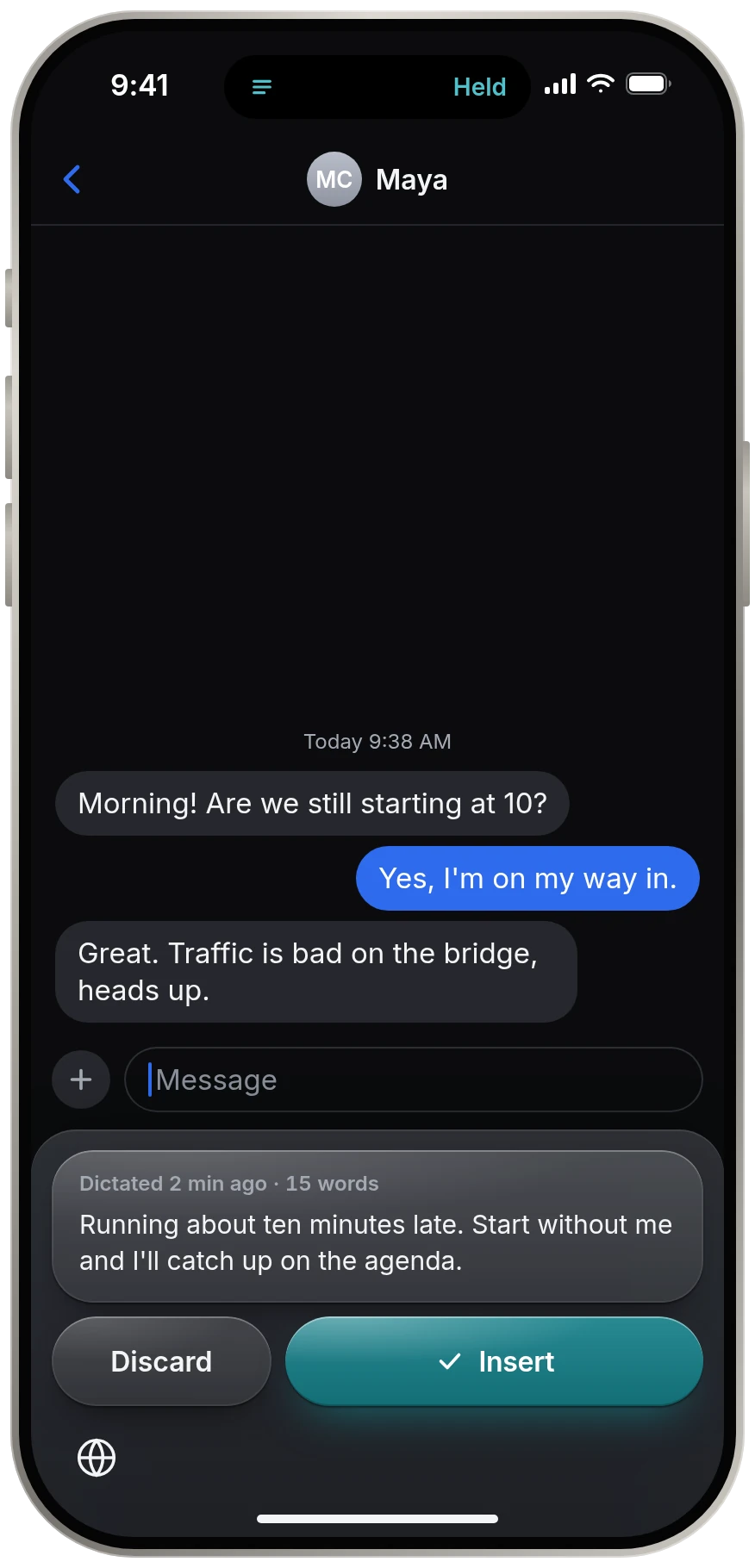
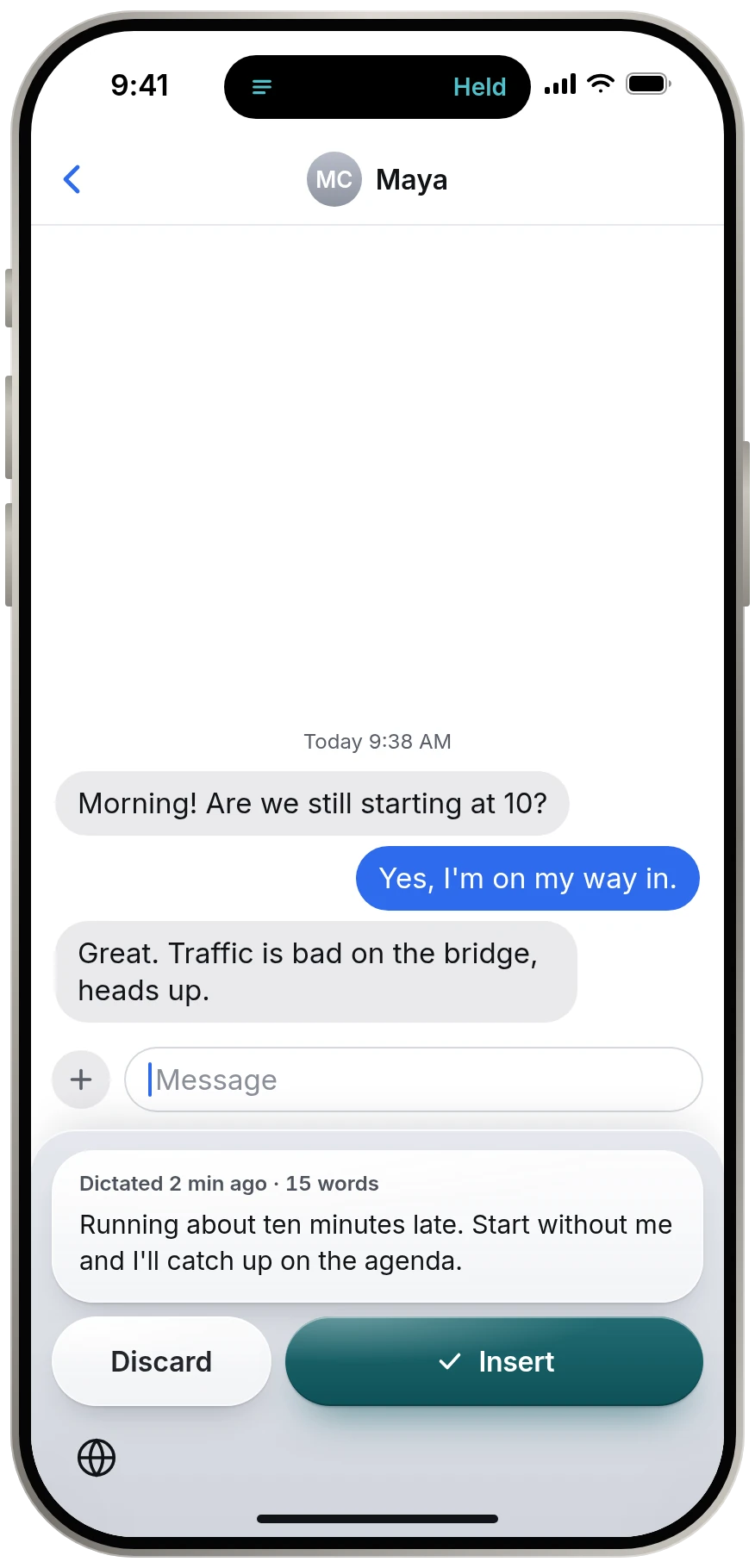
- It has no letter keys. It does not replace your keyboard.
- It transcribes only on the device. There is no cloud option to turn off, because there is no cloud.
- It runs open models: NVIDIA Parakeet TDT, published under CC BY 4.0.
- It needs no account and collects nothing.
- It finishes by itself: it stops when you pause and returns you to your keyboard.
Where another app may suit you better
- You want AI to rewrite, summarize or change the tone of what you said. Keyspoken types your words as spoken.
- You want one keyboard that does both typing and dictation. Keyspoken deliberately leaves typing to Apple's keyboard.
- You need Mac, Windows or Android. Keyspoken is for iPhone.
- You want to transcribe meetings or audio files. Keyspoken types at the cursor and keeps no recordings.
Five questions to ask of any dictation app
- Where is my audio processed: on the phone, or on a server?
- Does it replace my keyboard?
- Does it work with no connection?
- Do I need an account?
- What does it cost, and is that a subscription?
Keyspoken and Apple's built-in dictation, side by side
Source for the built-in steps: Apple, iPhone User Guide, Dictate text on iPhone support.apple.com, read 13 November 2026.
| Keyspoken | Apple's built-in dictation | |
|---|---|---|
| Where speech is processed | On the iPhone, always | On the iPhone in many languages, per Apple |
| Where it lives | Its own strip. You switch to it with the globe key. | A microphone key on Apple's keyboard. The keyboard stays open. |
| How it stops | When you pause. Two seconds by default. | Tap the microphone, say "Stop dictation", or 30 seconds of silence |
| Undo | One tap removes the whole dictation, for two seconds | Say "undo" |
| Languages | English, or 25 European languages with the Multilingual model | Many. It follows the keyboard language. |
| Speech model | Open NVIDIA Parakeet models | Apple's own |
| What you install | The app and a model of about 440 MB | Nothing. It is built in. |
| Price | Free. No subscription. | Free. It comes with the iPhone. |
Compared with the iPhone's built-in dictation
Apple's dictation is built in and needs nothing installed: tap the microphone key on the keyboard and talk. For many people that is the right answer.
Keyspoken is a separate strip that runs a different, open speech model. It adds custom vocabulary for names and terms, one Undo for a whole dictation, and a routine that stops by itself. The fair test is to try both on the things you actually say.
A note on fairness
We do not publish claims about other products. For the speech models themselves, the models page cites the makers' published benchmarks. Our own timings on two iPhones are on the models page. We have not measured accuracy ourselves. For what another app does, check that app's own site.
Questions
Is Keyspoken an alternative to Wispr Flow or Superwhisper on iPhone?
It does the same core job, turning speech into text in any app, in a different way: with no letter keys, on-device only, using open models and no account. Whether it suits you better depends on whether you want those things or want AI rewriting and a full keyboard.
Is Keyspoken open source?
The speech models it runs are open: NVIDIA Parakeet TDT under CC BY 4.0, through the Apache 2.0 FluidAudio runtime. The Keyspoken app itself is not open source.
Is Keyspoken better than Apple dictation?
We have no measured comparison with Apple dictation, so we make no claim. It is different: an open on-device model, custom vocabulary, whole-dictation Undo and a zero-touch routine. Try both.
Keep reading
- All guidesEvery guide to dictating on iPhone.
- Dictation app for iPhoneA dictation app for iPhone that leaves your keyboard alone
- Voice to text keyboardA voice keyboard with no keys to learn
- Offline dictationOffline dictation that works in airplane mode
- Private dictationPrivate dictation. Your voice stays on your iPhone.